Starter
For one site and quick experiments.
$19/mo Add to WebflowA Webflow App by Flowout
Build popups from your own Webflow elements — right inside the Designer. Turn any element into a popup, trigger it, target it, and measure it. No code, no bolted-on widget.
Join the list and grab your code instantly.
How it works
It all happens inside the Webflow Designer — no separate dashboard, no developer hand-off, no leaving the tool you already know.
Add Awesome Popups from the Webflow App Marketplace and drop in the one-time embed script. The panel confirms the moment it goes live.
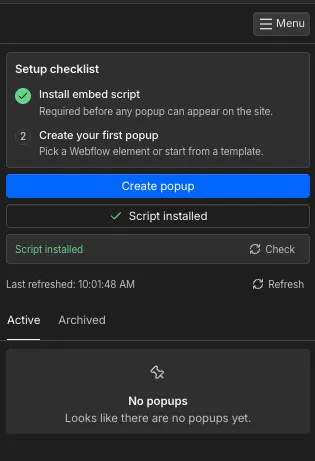
Turn any element you have already designed into a popup — or start from a ready-made template in the gallery.
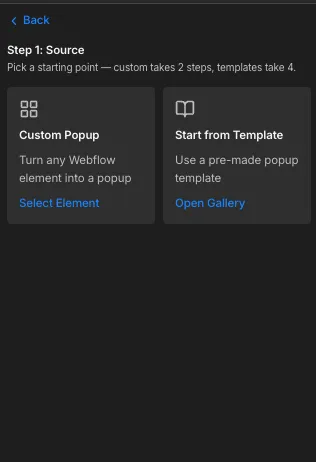
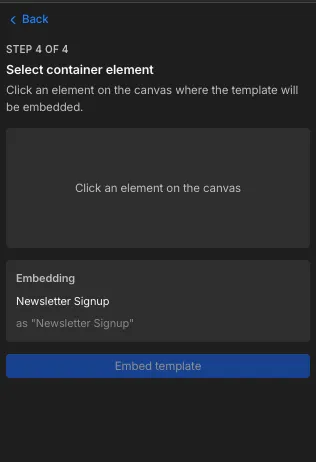
Tell the app which element to use by clicking it right on the Webflow canvas. No copy-pasting embed codes.
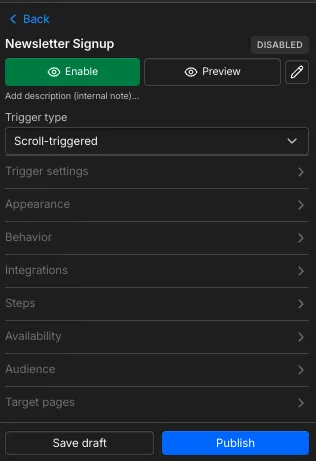
Set the trigger, appearance, targeting and schedule — then hit publish. It goes live on your site instantly.
The whole trick
Design it the way you design everything else in Webflow — your classes, your fonts, your breakpoints. Then point Awesome Popups at it and it becomes a triggered popup. Same design system, zero widget look.
Control room
Real conversion tooling, not a glorified alert box — and every dial lives in the panel, no code required.
Exit intent, scroll depth, time delay, or click.
Aim at the right pages, visitors, and devices.
Set date windows and cap how often it shows.
Chain steps into a flow — ask, qualify, convert.
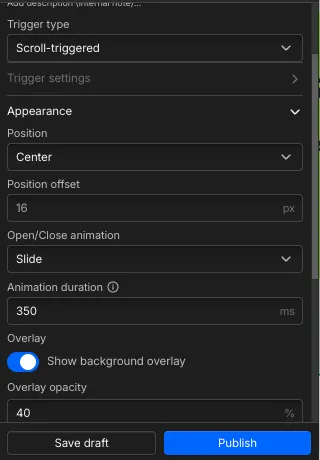
Position, open/close animation, overlay, timing.
Send submissions where they already belong.
Template gallery
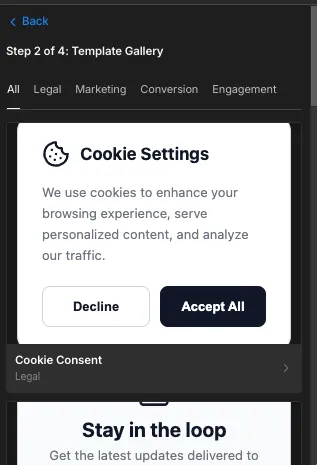
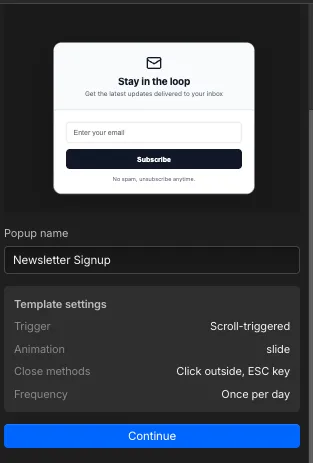
Open the gallery, pick a category, name it, set a trigger, then drop it onto your canvas. Custom takes 2 steps; templates take 4 — both look like you built them on purpose.
Cookie-consent templates that fit your site — not a bargain-bin banner.
Promos, announcements and launches that earn the screen.
Lead capture and exit offers engineered to close.
Surveys, nudges and welcomes that feel like a conversation.
Analytics
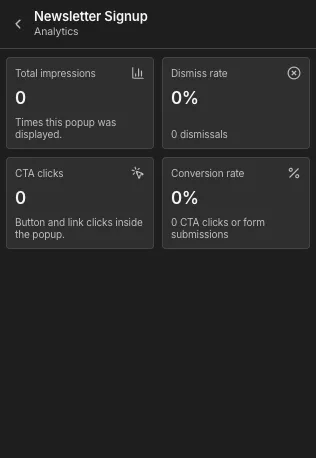
Open any popup and see exactly how it's doing — live, in the panel, no third-party dashboard. Keep the winners, retire the losers.
Pricing
Install from the Webflow App Marketplace and build your first popup free.
For one site and quick experiments.
$19/mo Add to WebflowFor teams running serious campaigns.
$49/mo Add to WebflowFor client work and repeat launches.
$129/mo Talk to salesGo make popups cool again
Build them from your real elements, fire them on cue, and prove their worth — all without leaving the Designer.
Add to Webflow